“Your message has not been sent because it is too large.” If that line looks familiar, you're not alone it's one of the most common bounce-backs in email. The frustrating part is that most of these limits aren't written anywhere obvious, so you find out the hard way, usually right when you're trying to get something out the door. Here's what each major app actually allows, as of 2026.
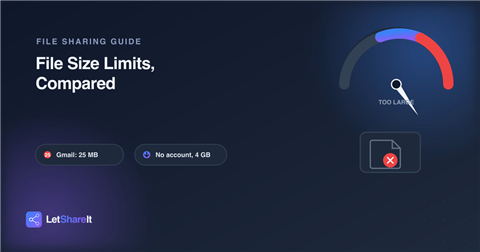
Gmail: 25 MB, combined
Gmail caps attachments at 25 MB per email and that's not per file, it's the total across everything you attach. Go over it, and Gmail automatically swaps your attachment for a Google Drive link instead of just failing outright, which is a nice save, except it only works if the recipient has (or is willing to create) Google access to open it. One wrinkle worth knowing: because of how email encodes binary attachments, a file sitting right at 24–25 MB can still get rejected due to overhead added in transit a safer practical ceiling is closer to 18 MB. Google Workspace Enterprise Plus accounts got a bump to 50 MB in a 2026 update, but it's admin-gated and most other Workspace tiers stay at 25 MB.
Outlook / Microsoft 365: 20–35 MB, depending on your admin
Outlook.com and most Microsoft 365 mailboxes default to roughly 20–35 MB per message, including the email body itself, not just the attachment. Unlike Gmail, Microsoft 365 admins can raise this up to 150 MB on some plans so the limit you hit depends entirely on how your organization's IT team has it configured. If you're sending to someone outside your company, remember their mail server has its own cap too, and a file that clears yours can still bounce on their end.
WhatsApp: documents capped well below what you'd expect
WhatsApp treats photos and videos sent through the normal chat flow very differently from documents. Media shared inline is squeezed down hard for quick delivery, while documents sent as files keep their original quality but hit a size ceiling that varies by region and app version commonly cited around 100 MB, with some regions seeing higher caps as WhatsApp rolls out increases gradually. Either way, it's nowhere near enough for a video export, a RAW photo batch, or a project folder.
Google Drive: generous per file, but it's one shared pool
Drive itself allows large individual files multiple gigabytes per file in most cases. The catch is the free tier gives you 15 GB total, shared across Drive, Gmail, and Google Photos combined. A handful of large uploads and that pool is gone, which then quietly breaks Gmail too, since sending and receiving email draws from the same quota. It's not really a file-size limit so much as a storage limit wearing a file-size costume.
So what do you actually do with a big file?
All four of the above were built for small attachments and casual sharing not for handing off a client's final video export, a design archive, or a folder of RAW photos. That's the gap a dedicated file-transfer link fills: you upload once, get a link, and the recipient downloads directly, with no attachment math and no shared storage pool to run out of.
On Letshareit, you can send files up to 4 GB with no account needed on either side you upload, we hand you a link, they click it. If 4 GB isn't enough, paid plans raise that ceiling a lot further: 60 GB per file on Basic, 500 GB per file on Pro.
The quick version
- Gmail: 25 MB combined (practically safer under ~18 MB)
- Outlook / Microsoft 365: 20–35 MB by default, admin-adjustable
- WhatsApp documents: commonly ~100 MB, varies by region/version
- Google Drive free tier: 15 GB total, shared with Gmail and Photos
- Letshareit, no account: up to 4 GB per file, no shared pool to run out of
Next time something bounces back as “too large,” you'll know exactly why and you won't need to compress a video into unwatchable mush just to get it under a limit that was never built for it.