If you’re paying for a subscription out of a business account whether you’re a freelancer billing it as an expense or a company claiming input tax credit a plain payment receipt isn’t enough. You need a proper GST invoice. Here’s what that actually means for a Letshareit subscription, and how to make sure yours has the right details on it.
What's on a Letshareit GST invoice
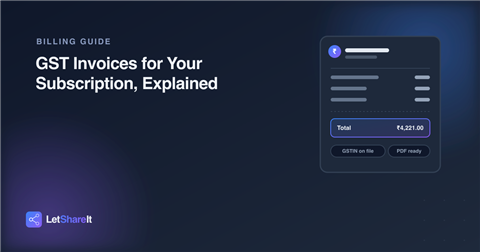
Every paid invoice is generated automatically the moment a payment goes through, and it includes everything a standard GST invoice is supposed to: the taxable value, the tax split (more on that below), the total charged, seller details including GSTIN and HSN code, and an invoice number you can reference in your books. It arrives as a PDF attached to your payment confirmation email, and every past invoice stays available from your dashboard under Billing & Plan.
CGST + SGST, or IGST what the split actually means
GST on an invoice is split one of two ways, and it depends on where you’re billing from relative to the seller:
- CGST + SGST applies when the buyer and seller are registered in the same state the 18% splits evenly into two 9% lines, one central and one state tax.
- IGST applies when they're in different states the full 18% shows as a single integrated tax line instead.
You don’t need to pick one it's worked out automatically from the state on your billing address or your GSTIN, whichever you've provided. It's not a different rate either way, just a different way of splitting the same 18%.
Getting your business name and GSTIN on the invoice
By default, an invoice goes out under your account name. If you need it issued to a business instead for expense claims or input tax credit add your business (legal) name and GSTIN at checkout, in the billing step. Once a GSTIN is on file, every future invoice carries it automatically; you don’t need to re-enter it on each renewal. Both fields are optional if you're paying as an individual, you can leave them blank and skip straight to payment.
The price you see vs. what you're actually charged
One thing worth knowing before you check out: the price shown while picking a plan is the amount before GST what you'd actually pay if tax didn't apply. GST gets added explicitly once you reach checkout, broken out as its own line alongside the final total, so you can see exactly what's base price and what's tax before you pay. It's the same total either way; showing it split out just means no surprise between the number you picked and the number you're charged.
Where to find your invoices later
Every invoice you've ever been charged lives in one place: Dashboard → Billing & Plan. Each one is downloadable as a PDF whenever you need it for your records no need to dig back through old emails to find a specific month.
The bottom line
A subscription that's actually a business expense deserves an invoice that holds up in your books. Add your GSTIN once at checkout, and every Letshareit invoice from then on is ready to file without any extra work on your end.