You upload a file, copy the link, and send it. That link feels private because nobody finds it by accident but anyone who has it can open it, forever, no questions asked. If it gets forwarded, pasted into the wrong group chat, or left open on a shared screen, your “private” file is now exactly as private as a flyer taped to a lamppost.
Password protection fixes the actual problem: it separates who has the link from who can open the file. Here’s how to use it properly, not just turn it on.
Why a link by itself isn’t protection
A share link is a long, random string, which makes it hard to guess not hard to pass on. Three ways it leaks that have nothing to do with hacking:
- Forwarding. One recipient forwards the email “just in case,” and now three more people have full access without you ever deciding to share with them.
- Screenshots and copy-paste. Links get pasted into Slack channels, WhatsApp groups, or project trackers that outlive the reason you sent them.
- Leftover access. A contractor’s project ends, but the link you sent them six months ago still works today, because nothing ever asked them to prove they should still have it.
What a password actually changes
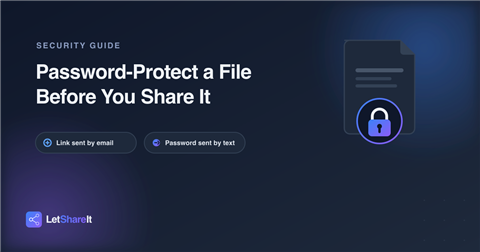
With a password set, having the link only gets someone to a locked door. They still need the password and that’s the part you control. Send the password through a different channel than the link: text it, say it on a call, or drop it in a separate message. If the link leaks on its own, it’s useless without the second half.
Setting it up properly, in five steps
- Pick a tool that actually supports link passwords. Plenty of free file-sharing tools skip this entirely check before you upload something sensitive.
- Set the password at upload, not after. A link that was open for even a minute before you locked it may already have been clicked, cached, or forwarded.
- Use a password you haven’t used anywhere else. Ten-plus characters, not a word pulled from the file name or your company name.
- Send it separately from the link. Same email, same message, same chat thread if any one of those gets compromised, forwarded, or screenshotted, you’ve handed over both halves at once.
- Set an expiry date alongside it. A password protects the file while the link is alive. An expiry date decides how long it stays alive at all which matters, because most file-sharing complaints are about links nobody remembered to kill.
The mistake almost everyone makes
Typing the password straight into the same email as the link, right underneath it, in bold. It’s convenient, and it’s the one habit that defeats the entire point anyone who gets that email has everything they need.
When you don’t need a password
Not everything needs this. A public press kit, an open-source release, a portfolio reel meant for anyone to view these are built to be shared freely, and a password just adds friction for no benefit. Reserve it for anything with a client’s data, financial documents, unreleased work, or personal files, where the cost of the wrong person opening it is real.
The bottom line
Letshareit builds this in rather than treating it as an extra step: every link can carry its own password and its own expiry date, set once at upload, no separate settings menu to remember. Try a protected share the next time you send something that actually needs to stay between you and the recipient.