A single listing can generate more media than most people expect: thirty-plus full-resolution interior and exterior shots, a drone pass over the property, a 3D walkthrough file, and a floor plan PDF all of it needing to move between the photographer, the agent, the broker, and eventually the MLS. Every one of those handoffs is a place where quality gets lost or a deadline slips. Here's how to keep it from happening.
The MLS doesn't want your working files
Most MLS platforms cap individual photo uploads somewhere in the 10–20 MB range and compress everything on ingestion anyway which is fine for what buyers see on the listing, but a bad place to store your only copy. The files that matter RAW or high-res originals, the drone footage, the uncompressed walkthrough should live somewhere you control, with the MLS-ready exports treated as a derivative, not the source.
Getting the shoot back from your photographer
A full listing shoot easily runs 2–8 GB once you include drone footage and any video walkthrough well past what email or a messaging app will move in one piece. The cleanest handoff is a single link the photographer sends once the edit is done: you download everything at once, in original quality, no compression artifacts from a third hop through a chat app. If you're the one receiving these regularly, it's worth asking your photographer to deliver this way rather than via a string of individual email attachments.
Sending listing packages to clients and brokers
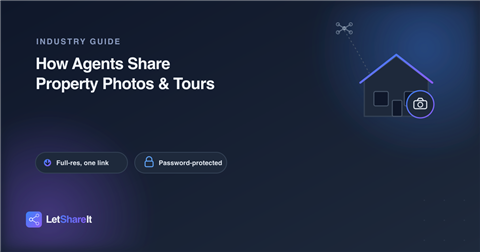
Sellers often want their own copy of the photos, and brokers frequently need the full package for internal review before anything goes live. Both are cases where a link beats an attachment: the seller doesn't need an account to download their own listing photos, and you're not stuck guessing whether thirty images will even fit through their inbox. If the listing isn't live yet, a password on the link keeps the photos from leaking before launch worth doing on any pocket listing or pre-market shoot.
Virtual tours and floor plans need the same treatment
3D walkthrough exports and floor plan files are often the easiest things to lose track of, since they tend to arrive from a separate vendor than the photographer. Keep them moving through the same link-based workflow as the photos rather than letting them pile up as unsorted attachments across three different email threads by the time you need the floor plan again for a listing refresh, you want it in the same place as everything else from that shoot, not buried in an inbox search.
What to look for in a delivery tool
- No size ceiling that fights a drone shoot. A single link should handle the full package stills, video, and floor plans together without you splitting it across multiple emails.
- No account required for the client. A seller shouldn't need to sign up for anything just to download photos of their own house.
- Password protection for pre-market listings. Anything not live yet should be locked until you're ready to share it more broadly.
- Download visibility. Knowing when a broker or client actually opened the package saves a follow-up call asking if they got it.
On Letshareit, a full shoot stills, drone footage, and a walkthrough file together goes out as one link, downloadable with no account on the receiving end, with an optional password for anything that isn't public yet. For agents juggling several active listings at once, that's one fewer place for a file to go missing between the shoot and the sign in the yard.