You film a few minutes of 4K video on your phone, tap send, and get an error: “file too large.” Or worse, it sends — but the app quietly compresses it until the footage looks soft and blocky. A single minute of 4K video can run several hundred megabytes, and most messaging and email apps were built for photos and short clips, not for that.
The good news: you don't need to trim the video, drop the resolution, or install another app. You can upload it once from your phone's browser and send a link instead.
Why your video won't send
Every app draws its own line, and video hits it fast. These are approximate limits — they change over time, so treat them as a guide rather than a guarantee:
| Where you're sending | Approximate limit | What happens with a big video |
|---|---|---|
| Email (Gmail, Outlook, Yahoo) | About 20–25 MB | Bounces, or Gmail offers a Google Drive link instead |
| iMessage / Messages | About 100 MB | Refuses the attachment or offers to send a compressed copy |
| Small for video; larger as a “document” | Compresses videos sent the normal way, reducing quality | |
| Letshareit | 4 GB free, up to 500 GB on Pro | Uploaded as-is, no compression |
How to send a large video from iPhone
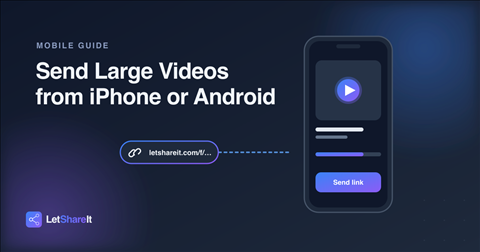
- Open Safari and go to letshareit.com/upload. No account or app is needed.
- Tap the upload area and choose your video from your photo library or the Files app.
- Optionally set a password and an expiry (1, 3, 7 or 30 days) if the video is private.
- Tap send and wait for the upload to finish. Keep the tab open and stay on Wi-Fi — large uploads over mobile data are slow and can burn through your plan.
- Copy the link and paste it into iMessage, WhatsApp, or email. The recipient taps it and downloads the original file.
How to send a large video from Android
The steps are the same — only the file picker looks different. Open Chrome, go to letshareit.com/upload, tap to select the video from Gallery, Google Photos, or Files, set any password or expiry, and send. You get a link you can drop into Google Messages, WhatsApp, or any email app.
Tips for sending long or 4K videos
- Use Wi-Fi. A multi-gigabyte upload over mobile data is slow and expensive. Wi-Fi is faster and more stable.
- Keep the screen on and the tab open. Uploads run in the browser, so locking the phone or switching apps for a long time can interrupt them.
- Check the size first. Free uploads support up to 4 GB. For bigger projects, paid plans go up to 60 GB (Basic) and 500 GB (Pro) per file — see pricing.
- Protect private footage. Add a password so only the person you share it with can open the link. See how password-protected file sharing works.
- Send a folder, not a pile of clips. Multiple videos can be uploaded together and delivered as one download.
What about AirDrop, Google Drive or iCloud?
They work, but each has a catch. AirDrop only works between nearby Apple devices. Google Drive and iCloud links require the recipient to open a storage app or sign in, and they count against your own storage quota. A dedicated large video file transfer link works on any device, needs no account for the person receiving it, and expires on its own when you want it to.
The bottom line
Phones make it easy to shoot huge videos and hard to send them. Instead of compressing footage or splitting it into clips, upload it once and share a link. Send a video from your phone now — no account, no app, no compression.