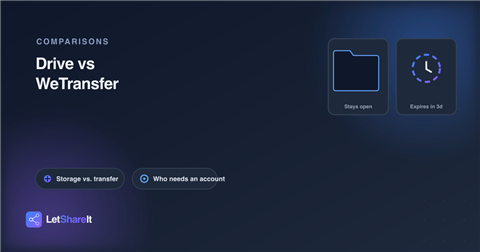
These two get compared constantly, but they're not really built for the same job. Google Drive is persistent storage you grant access to. WeTransfer is a one-time courier it moves a file from you to someone else and then, by design, stops existing. Which one you actually want depends less on file size than on what you want to happen to the link after you've sent it.
What each one actually is
A free personal Google account gets 15 GB of storage, shared across Gmail, Google Drive, and Google Photos not 15 GB dedicated to file sharing alone. A single file in Drive can technically be up to 5 TB, but it still has to fit inside whatever's left of that pooled 15 GB. The file stays in your account indefinitely; sharing it just grants someone else a door into your Drive.
WeTransfer's free tier caps a transfer at 3 GB, with a fixed 3-day link expiry. Nothing persists on your end you're not storing the file anywhere you'll find it again later, you're handing it off once.
The link expiration gap
This is the part most comparisons skip, and it's the actual practical difference: WeTransfer expires every link automatically, free tier included, after 3 days. Google Drive's per-person link expiration setting a date after which access is revoked is documented by Google as a Google Workspace (paid, business) feature. A free personal Gmail account doesn't have a native way to make a share link expire on its own. You either leave it open indefinitely, or you remember to go back and manually revoke access yourself.
If you want something that disappears without you having to remember to clean it up a one-off send of tax documents, a contract draft, anything you don't want sitting on a live link six months later Drive's free tier won't do that for you. WeTransfer's design handles it by default.
Does the recipient need a Google account?
No a link shared as "anyone with the link" doesn't require the recipient to sign in. In practice, some people hit a "request access" prompt anyway, usually because the wrong Google account is active in their browser or a permission got set incorrectly on the share. It's not a hard requirement, but it's a friction point WeTransfer and most dedicated transfer tools don't have, since there's no account system standing between the link and the file.
Which one to actually use
- Use Drive for anything ongoing a shared folder a team adds to over time, a doc you'll keep editing, reference material people will need to find again later.
- Use a transfer tool for a one-off send, especially anything you don't want to still be accessible next month, or when the recipient shouldn't need any account at all to get it.
On Letshareit, no account is required on either end same as WeTransfer and the free tier lets you actually set the link to expire in 1, 3, or 7 days yourself, which Drive's free tier can't do at all. Free uploads go up to 6 GB per file, ahead of WeTransfer's 3 GB cap, with password protection available on every plan including guest uploads. See the full Letshareit vs WeTransfer comparison for the complete breakdown.