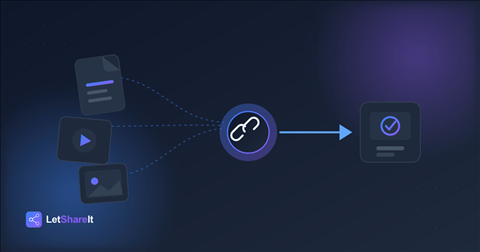
Every major email provider caps attachment size somewhere between 20–25 MB — Gmail, Outlook, and Yahoo all draw the line around there. That's fine for a PDF or a couple of photos. It's nowhere close to enough for a video export, a RAW photo gallery, a design source file, or a database backup. Try to attach something bigger and you won't get a clear error — you'll get a bounce, a silent failure, or a “message too large” rejection hours after you thought it sent.
The usual workarounds — compressing a video until it's blurry, splitting a ZIP into a dozen parts, or paying for cloud storage just to share one file — all cost you either quality or time. There's a simpler fix: stop attaching the file at all, and send a link to it instead.
How link-based file sharing works
The idea is simple: instead of attaching the actual file to an email, you upload it once to a file-sharing service, and it gives you a link. You send the link (by email, chat, or however you'd normally reach someone) instead of the file itself. The recipient clicks it, and downloads the file directly — no email size limit involved, because the file never actually travels through your inbox.
With Letshareit, that's the entire process: drag a file or folder onto the upload page, optionally set a password and an expiry date, and you get a shareable link in seconds. No account is required on either end — you don't need to sign up to send, and the person you're sending to doesn't need to sign up to download.
What to look for in a large-file-sharing tool
Not every “send big files” service is built the same way. A few things worth checking before you rely on one:
- Real size limits, not marketing limits. Some free tiers cap out at 2 GB, which barely helps if you're sending video. Letshareit's guest and free tiers support up to 4 GB with no account, and paid plans go up to 250 GB.
- No forced account for recipients. If the person receiving your file has to sign up just to download it, you've reintroduced the exact friction you were trying to avoid.
- Expiry control. Files sitting on a public link forever is a liability, not a feature. Look for a tool that lets you set — and change — how long a link stays live.
- Password protection, on every plan. A share link is only as private as who has the URL. A password should be a basic feature, not something locked behind a paid tier.
- No compression or re-encoding. Some tools quietly recompress video and images to save storage. If you're sending client deliverables, that's the last thing you want happening without your knowledge.
Sending different file types
The right approach varies a bit by what you're sending:
- Video files — 4K footage and raw exports are exactly the case email attachments were never built for. See our guide to sending large video files without losing quality.
- Photos and galleries — RAW files and full-resolution exports need a tool that won't quietly compress them. Here's how to share high-resolution photos at full quality.
- Sensitive documents — contracts, financial records, or anything that shouldn't be openly accessible needs more than an unguessable link. Password-protected file sharing covers how to lock a link down properly.
- One-off transfers — if you don't want to create an account at all, you don't have to. Here's how to send files without signing up.
Do you need to pay for this?
Not necessarily. Letshareit's guest tier (no account) and free account both support files up to 4 GB, which covers the vast majority of email-attachment-sized problems. Paid plans exist for when you consistently need more: Basic ($4.99/mo) goes up to 20 GB per file, and Pro ($16.99/mo) goes up to 250 GB — enough for full video projects or large RAW galleries.
The bottom line
Email was never designed to move large files, and forcing it to — through compression, splitting, or workarounds — costs you quality and time for no real benefit. A link-based upload takes the same amount of effort as attaching a file, works for recipients whether or not they have an account, and scales to file sizes email was never going to handle. Try sending a file now — no account needed.