A single case file or audit engagement can involve hundreds of pages across dozens of documents contracts, financial statements, evidence exhibits, signed affidavits, prior-year filings. All of it is confidential, most of it is too large to attach to an email, and a chunk of it probably shouldn't sit in an inbox longer than necessary. Here's how to move it without creating a liability.
Why email alone isn't enough for client documents
Email attachments have two problems that matter specifically for legal and accounting work. First, size a scanned discovery bundle or a full year of financial statements routinely exceeds what Gmail or Outlook will carry in one message. Second, and more important: once a document leaves as an attachment, it exists permanently in two inboxes, two sent-folders, and however many backups each mail provider keeps, with no way to revoke access if it was sent to the wrong recipient or the engagement ends. A link you can expire or password-protect doesn't have that problem.
What "secure enough" actually means here
Neither profession needs exotic security they need the basics done consistently, every time, without relying on staff to remember an extra step:
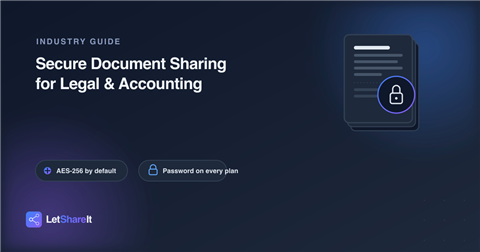
- Encryption in transit and at rest. Documents should be encrypted automatically during upload and while stored, as a default, not an opt-in setting someone has to remember.
- A password on the link, not just the account. For anything genuinely sensitive a settlement agreement, an unfiled tax return a link-level password means even someone who gets the URL by accident can't open it.
- An expiration date. A client document doesn't need to be downloadable forever. Setting a link to expire after the engagement's active window closes one more door automatically.
- A download record. Knowing exactly when a client (or opposing counsel, or an auditor) actually pulled a file is useful documentation on its own, separate from the security benefit.
Collecting documents from clients, not just sending them
Half of this workflow runs in the other direction a client needs to hand over bank statements, prior returns, signed forms, or evidence. Asking them to email scanned documents piecemeal, or expecting them to use a portal they'll need a password for, adds friction that slows the engagement down. A single upload link you send them, with no account required on their end, removes that friction while keeping the same encryption and access controls on what comes back.
Firm-wide, not person-by-person
The biggest risk in most small and mid-size practices isn't a sophisticated attack it's inconsistency. One associate emails a contract as a plain attachment because the proper tool felt like an extra step that day. Standardizing on a single method for anything leaving the firm, built into the normal workflow rather than a separate security procedure, is what actually prevents that gap, more than any single feature does on its own.
What to look for
- No size ceiling that forces splitting a case file across multiple emails.
- Password protection available on every plan, not gated behind an enterprise tier most small firms won't buy.
- No account required for clients,q a client shouldn't need to register anywhere just to send you their W-2.
- Download confirmation, so you have a record of when a document actually changed hands.
On Letshareit, every file is encrypted with AES-256 automatically, and link passwords are available on every plan, including Free not held back for a higher tier. Paid plans add full control over expiration dates, on top of the default expiry every link already has. For collecting documents from clients, a single upload link works the same way in reverse, with no account needed on their end.