A reasonable question after sharing something private: once the person on the other end downloads it, is it gone? Does it stay sitting on a server somewhere? Here's exactly what happens, because “it depends” isn't a good enough answer when it's your files.
Downloading doesn't delete the file
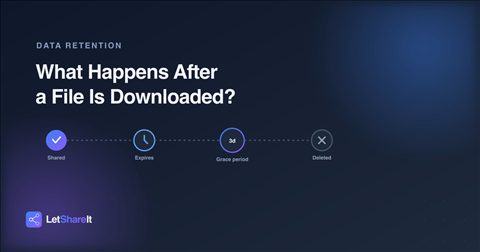
Opening a link or clicking download doesn't remove the file from storage. The link stays live and the file stays downloadable until one of two things happens: it expires, or you delete it yourself. This is intentional — most sharing isn't one person downloading once. A client might need to re-download a file, a team might open the same link on different days, or you might want to confirm the file went through before assuming it's safe to move on.
So when does a file actually get deleted?
You delete it manually
Deleting a file from your dashboard removes it from your file list and disables the link immediately. The physical file is then removed from storage right after — typically within moments, though on a very large batch the cleanup can take a short while longer to finish in the background.
The link expires
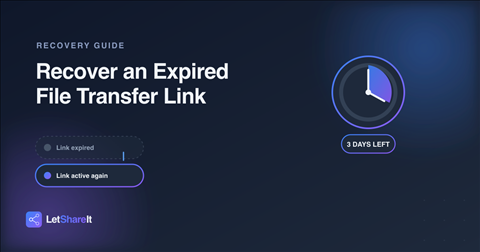
When a link's expiry date passes, the file isn't deleted instantly. There's a grace period — up to 3 days — during which the file still exists in storage but the link no longer works for downloads. On paid plans, you can recover an expired link within that window and bring it back with the same URL. After 3 days, the file is permanently deleted during Letshareit's nightly cleanup and can't be recovered on any plan.
Why there's a grace period at all
Expiry dates are sometimes set a little too aggressively, or a recipient needs more time than planned. A hard, instant delete the moment a link expires would turn a minor timing mistake into a permanent loss. The 3-day window exists specifically so an expired link is a fixable problem, not an immediate one — as long as you catch it in time.
What “deleted” actually means
Once a file is permanently deleted — either by you, or by the cleanup process after the 3-day window — it's removed from the storage server. There's no separate backup copy kept around to restore from later. If you still have the original file on your own device, sharing it again just means uploading it and sending a new link.
How to stay in control of what you've shared
- Delete sensitive files once they've served their purpose, rather than waiting for an expiry date to catch up to it.
- Set a realistic expiry instead of a long one “just in case” — a file that's reachable for 30 days when it only needed 3 is a longer window for something to go wrong.
- Use a password for anything private while the link is still live. See how password-protected sharing works.
- Don't assume a download means you're done. If you want the file gone, delete it yourself rather than waiting on expiry.
The bottom line
A shared file stays available until its link expires or you remove it — downloading doesn't trigger deletion on its own. That gives you control over how long a file is reachable, with a short recovery window if an expiry catches you off guard, and a real, permanent deletion once that window closes. Share a file now and set the expiry that actually fits.