Most people who share files never need to pay for it. A free plan covers the occasional document, photo, or short video without any friction. But at some point — a file that's too big, a link that expired before it should have, a client who asks why the download page looks generic — free starts to feel like it's working against you. Here's how to tell which side of that line you're actually on.
What a free plan actually gets you
On Letshareit's free tier, you can upload files up to 4 GB with no account required, either for yourself or the person downloading. That covers most everyday sharing: a handful of documents, compressed photos, a short video clip. Free also includes password-protected links and a 30-day link life — features some competitors hold back for paying customers.
Signs you've actually outgrown free
- You keep hitting the file size limit. If you're regularly trying to send something over 4 GB — a video export, a RAW photo gallery, a large archive — that's the clearest signal. Compressing files to fit a limit costs you quality every time.
- You need more than 4 GB of active storage at once. If you're keeping several large files live simultaneously rather than sending one and moving on, free's total storage runs out fast.
- You've lost a file to an expired link. Free plans typically don't let you bring back an expired link — once it's gone, you're re-uploading from scratch. See how recovering an expired link works on paid plans.
- You're sending files professionally. Client deliverables, business proposals, or anything representing your work benefit from a page that looks like your brand rather than a generic default.
- You need it to just work, fast. Priority support matters more once file sharing is part of how you get paid, not just something you do occasionally.
Free vs Basic vs Pro, side by side
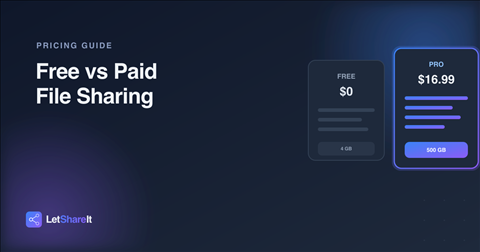
| What you need | Free | Basic ($4.99/mo) | Pro ($16.99/mo) |
|---|---|---|---|
| Max file size | 4 GB | 60 GB | 500 GB |
| Total storage | 4 GB | 300 GB | 2.5 TB |
| Password-protected links | Yes | Yes | Yes |
| Recover an expired link | No | Yes | Yes |
| Link expiry options | Up to 30 days | Up to 30 days | Up to 30 days, or never |
| Custom branding | No | Yes | Yes |
| Priority support | No | No | Yes |
When free is genuinely enough
If you're sending files occasionally — a document for a form, a few vacation photos, a resume — there's no reason to pay for anything. Free covers that completely, including a password on the link if the file is private. Don't upgrade just because a paid plan exists; upgrade because you've actually hit a wall.
Basic or Pro: which one fits?
Basic is built for people who occasionally send something larger than the free limit but aren't dealing with huge files regularly — a 20–50 GB video export now and then, a big client folder once in a while. Pro is for when large files are routine: full video projects, complete photo galleries, large archives, or when you want links that never expire and support that responds fast when something's wrong. If you're unsure, Basic is the safer starting point — you can always move up once you know your actual usage.
The bottom line
Free file sharing isn't a trial version designed to run out on you — it's a real, usable tier for real, everyday sharing. Pay when the free plan is actually getting in your way: a file that won't fit, storage that's full, or a link you wish you could bring back. Compare all three plans and pick based on what you actually send, not what sounds impressive.